A scribe may suit you if…
You are happy with your current EMR and want AI help that works with it.
Heidi alternative · For Ontario clinics
An AI scribe like Heidi works alongside the EMR you keep. Bob Doc is a different purchase: an EMR designed to replace your current one, with AI drafting the note, forms, referrals and OHIP billing inside one patient record.
A 30-minute walkthrough of a complete visit, with time for your questions.
Two different purchases
Both put AI into the visit. The difference is whether you keep your current EMR or replace it.
| Consideration | Add an AI scribe such as Heidi | Switch to Bob Doc |
|---|---|---|
| What you are buying | An AI tool used alongside your EMR. Heidi describes itself as an AI care partner built on an ambient scribe. | An EMR designed to replace your current one, with AI-assisted workflows built in. |
| Your current EMR | Stays in place. Heidi connects to or embeds in supported EMRs, and offers copy and paste for others. | Would be replaced. Your charts would move to Bob Doc. |
| Where AI-drafted work lands | Pushed or pasted into your EMR's record, depending on the integration. | In Bob Doc's patient record, where the visit's orders, documents, referrals and billing are created. |
Heidi details are from Heidi's home page, integrations page and clinician page as of October 10, 2026. Heidi also describes letters, forms and other tools beyond the note; check Heidi's website for current information.
You are happy with your current EMR and want AI help that works with it.
You are already reconsidering your EMR, or you want the note, orders, forms and billing to come from one record instead of two systems.
Already reconsidering your EMR? See a complete visit in Bob Doc in a 30-minute demo.
In the same record
Many AI tools now help with letters and forms. In Bob Doc, each of these steps happens in the patient's chart, alongside the orders and billing. These screens are from a longer recording of our product demo.
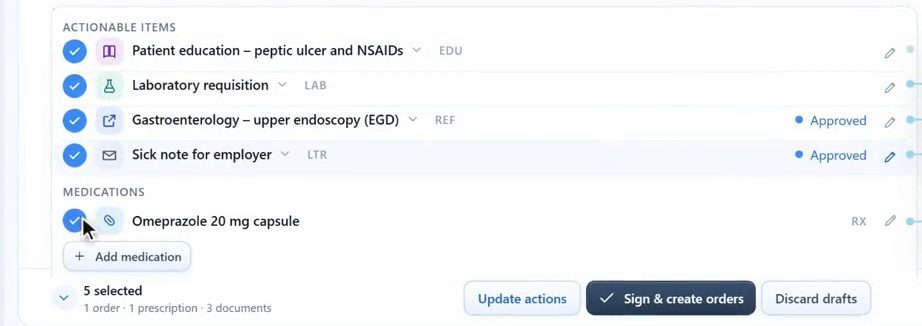
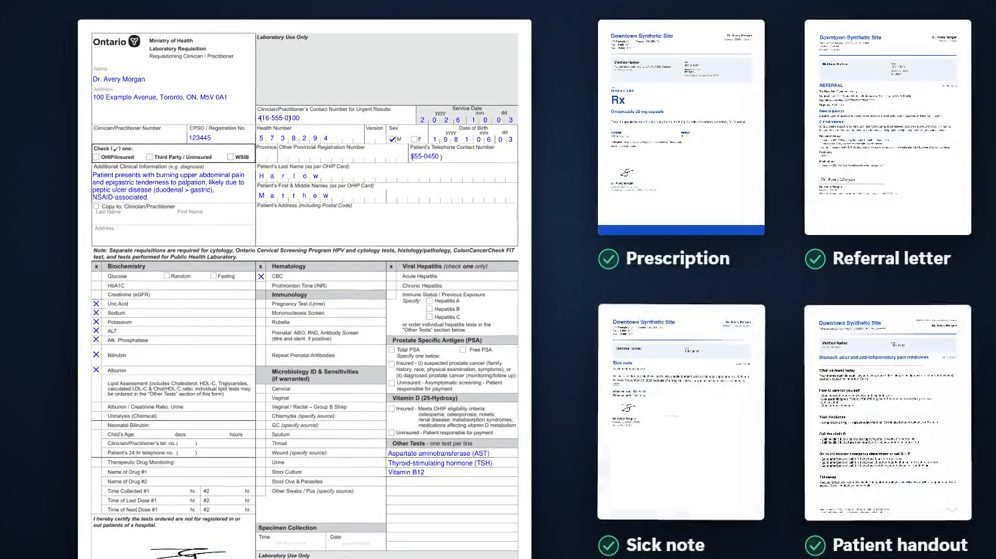
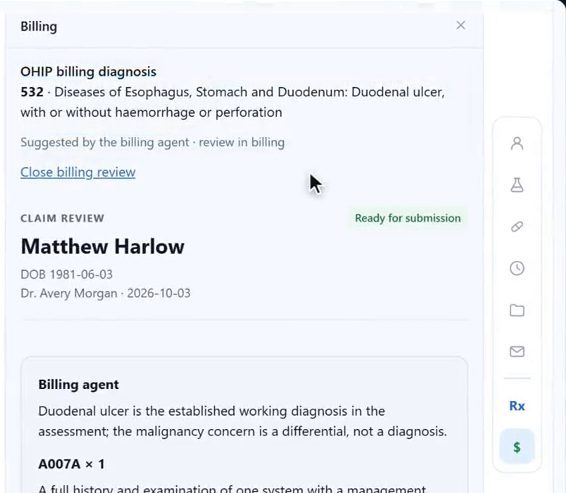
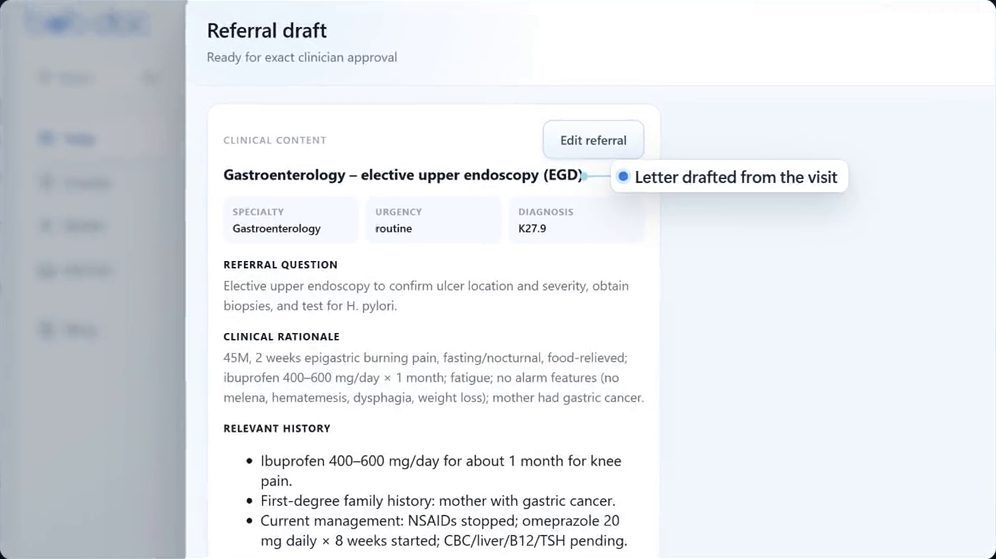
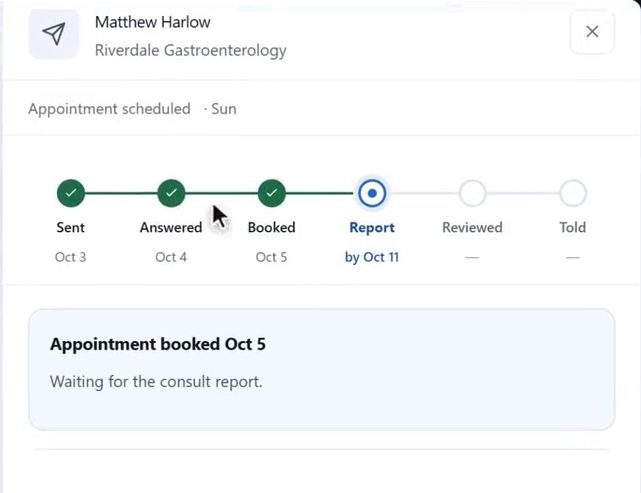
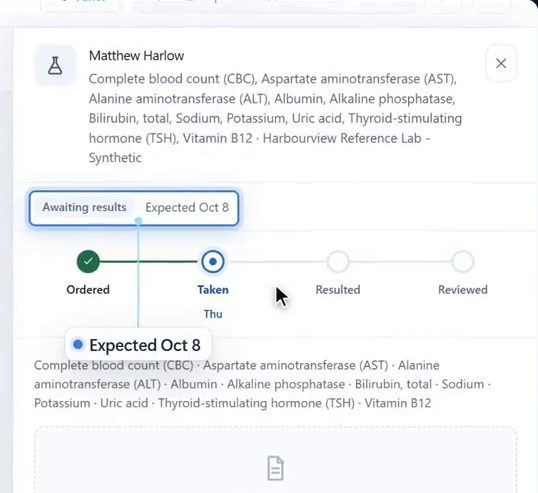
Screens from a longer recording of our product demo, with a synthetic patient. The AI drafts, follow-up events and dates were scripted for the recording.
The clinician's role
AI in Bob Doc prepares work for you to check. Edit the note, choose your own diagnosis or dictate your own assessment. Prescriptions, requisitions, letters and referrals need your approval and signature.
An approval covers exactly what you reviewed. If the content changes, it comes back to you. Bob's suggestions support your clinical judgement; they never replace it.
If a patient prefers not to be recorded, type the note yourself and the rest of the visit works the same way.
Whichever you choose
Ontario guidance from the CPSO and the OMA expects patient consent for recording and clinician review of every AI-drafted note, whichever tool you use. Sources: CPSO Dialogue, Using AI scribes in your practice · OMA AI scribe guidance tips.
Bring these questions to your demo. We will answer them for Bob Doc, with a complete visit on screen.
Good questions
Bob Doc includes an AI scribe, but it is an EMR. The scribe drafts the note inside the patient record, where the visit's orders, documents, referrals and billing are created.
Bob Doc is designed to be your clinic's EMR rather than an add-on to another one.
When you sign an in-person fee-for-service visit, Bob suggests the OHIP diagnostic and service codes from your note and drafts the claim. You can review and correct it, and your billing staff or a clinic administrator approves it.
Clinical access requires two-step verification, each team member works under a role, and access to charts and documents is audited. Ask us about hosting, AI processing and how recordings are handled in your demo.
The note, the assessment and plan, and every prepared document. Prescriptions, requisitions, letters and referrals need your signature.
Bob Doc is a paid service for clinics. We go through pricing for your clinic in the demo.
About Bob Doc
We are 18269441 Canada Inc. O/A Bob Doc, based in Toronto, Ontario. Requests from this page go straight to our team, and we reply by email to arrange your demo.
Heidi is a trademark of its owner. Bob Doc is not affiliated with or endorsed by Heidi Health. Information about Heidi comes from heidihealth.com as of October 10, 2026.
See it for yourself
Thirty minutes. A complete visit. Your questions.