Walk-in board
Check-in, rooming and visit status for the whole team on one live board.
Bob Doc · EMR software for Ontario clinics
Bob Doc is EMR software for Ontario clinics, not an add-on scribe. The chart, the visit note, orders, forms, referrals and OHIP billing share one patient record, and AI drafts the work from the visit.
A 30-minute walkthrough of a complete visit, with time for your questions.
One patient record
Bob Doc is designed to replace your EMR rather than sit beside it. This is what your clinic would work in every day.
Check-in, rooming and visit status for the whole team on one live board.
History, medications, allergies, documents, past visits and lab results with trends.
Bob listens to the visit and drafts a structured SOAP note for you to review. Prefer to type? Write it yourself.
The Ontario lab requisition, prescriptions, sick notes, school and return-to-work letters and patient handouts, filled in from the visit.
Referral letters drafted from the visit and chart, then tracked until the consult report is back.
Each test you order is tracked until its report is filed. Overdue results are flagged, and every report waits for your review.
Diagnostic and service codes suggested from the signed note, and a fee-for-service claim drafted for your billing staff to approve.
Two-step verification for clinical access, role-based permissions and an audit trail of chart access.
See it with the visits you see most. Tell us your common visit types and we will walk through them in the demo.
How a visit flows
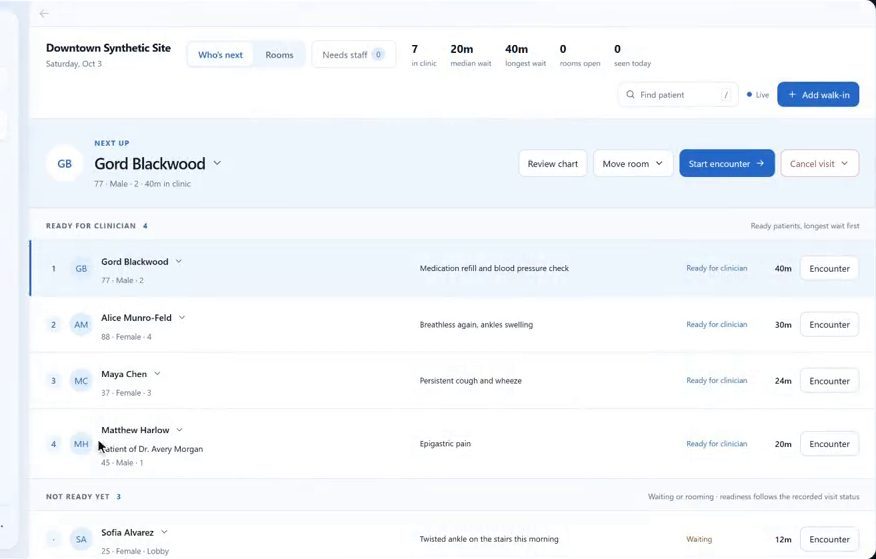
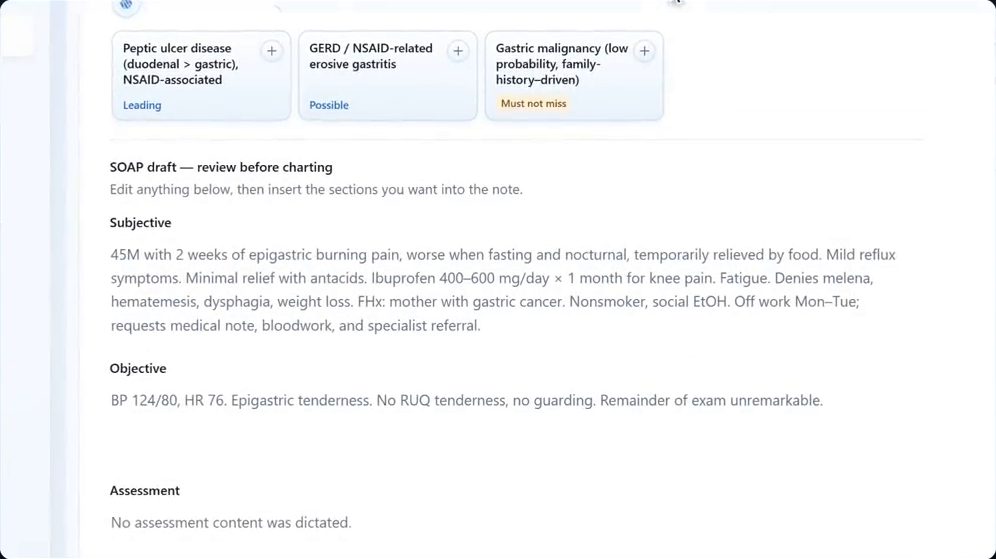
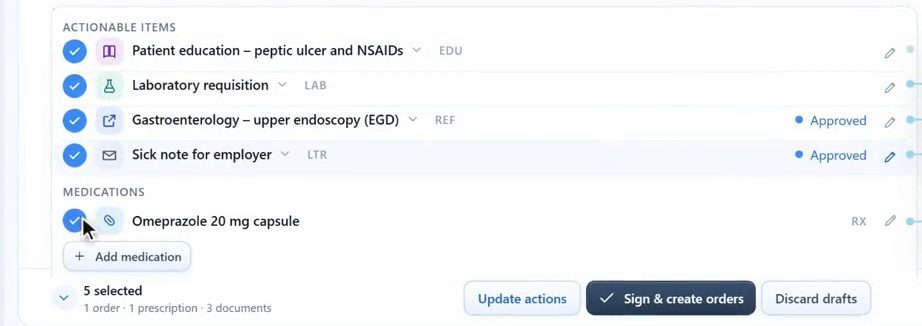
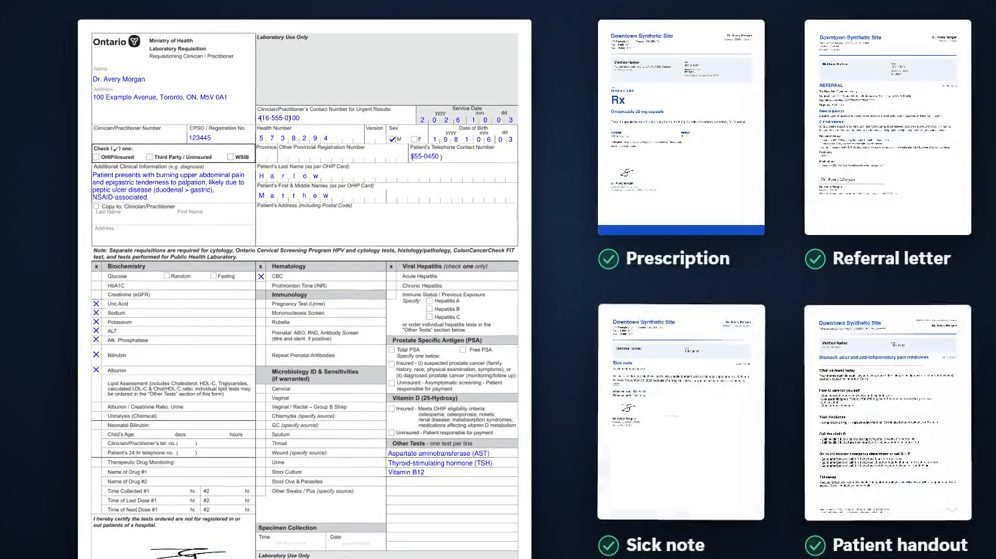
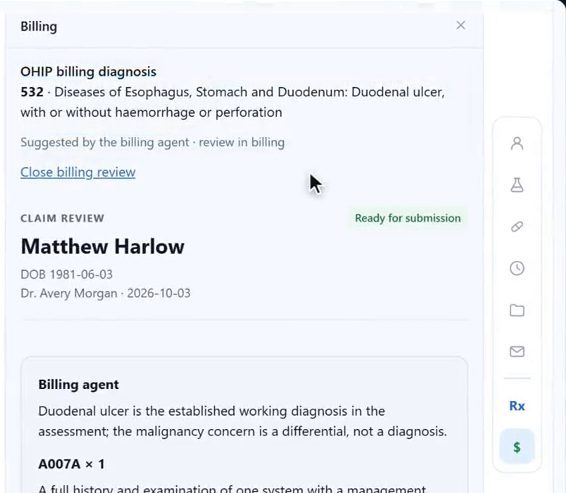
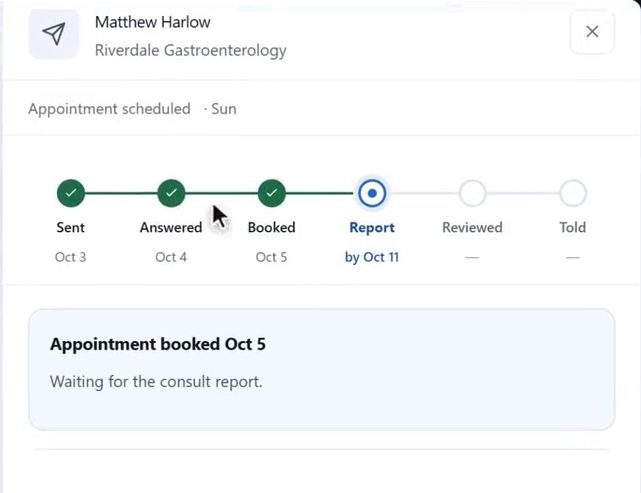
Screens from a longer recording of our product demo, with a synthetic patient. The AI drafts, follow-up events and dates were scripted for the recording.
See the whole visit, start to finish. A 30-minute demo of Bob Doc.
The clinician's role
AI in Bob Doc prepares work for you to check. Edit the note, choose your own diagnosis or dictate your own assessment. Prescriptions, requisitions, letters and referrals need your approval and signature.
An approval covers exactly what you reviewed. If the content changes, it comes back to you. Bob's suggestions support your clinical judgement; they never replace it.
If a patient prefers not to be recorded, type the note yourself and the rest of the visit works the same way.
Good questions
An EMR. Your clinic would work in Bob Doc for the chart, the visit, orders, documents, referrals and OHIP billing. The AI scribe is one part of the visit, not a separate tool.
Ontario walk-in clinics and family practices, including clinics with several physicians and staff and teams that work across more than one location.
Any form your clinic needs can be used. This includes the Ontario lab requisition, imaging requisitions, prescriptions, sick notes, school and return-to-work letters, patient handouts and referral letters. You review them, and nothing is created until you sign.
When you sign an in-person fee-for-service visit, Bob suggests the OHIP diagnostic and service codes from your note and drafts the claim. You can review and correct it, and your billing staff or a clinic administrator approves it. Tell us how your clinic bills today and we will walk through it in your demo.
Tell us which provincial services and integrations your clinic relies on today, such as OLIS lab results, HRM hospital reports or eReferral, and we will go through how Bob Doc fits your clinic.
Yes. Bob Doc offers full EMR migration.
Clinical access requires two-step verification, each team member works under a role, and access to charts and documents is audited. Ask us about hosting, AI processing and data handling in your demo.
Bob Doc is a paid service for clinics. We go through pricing for your clinic in the demo.
A 30-minute walkthrough of a complete visit in Bob Doc, and time for your questions.
About Bob Doc
We are 18269441 Canada Inc. O/A Bob Doc, based in Toronto, Ontario. Requests from this page go straight to our team, and we reply by email to arrange your demo.
See a whole visit
Thirty minutes. A complete visit. Your questions.