Your daily clinic flow
Bring a walk-in or family practice visit you see often. Follow the chart, note, lab requisition, referral and billing through Bob Doc.
OSCAR Pro alternative · For Ontario clinics
If you are comparing OSCAR Pro alternatives for an Ontario clinic, start with the work your team does every day. See Bob Doc's AI-assisted visit, forms and OHIP billing in one patient record.
A 30-minute walkthrough of a complete visit, with time for your questions.
Compare the workflow
Ask each team to show how your clinic would work, from opening a chart to reviewing the note, forms and billing.
| Consideration | OSCAR Pro | Bob Doc |
|---|---|---|
| The EMR | WELL describes OSCAR Pro as an OSCAR-based EMR with a modernized interface and support services. | An EMR for Ontario walk-in clinics and family practices, with AI built into the visit. |
| AI in the workflow | OSCAR Pro lists Nexus AI, a voice-enabled assistant for EMR data entry, in its partner ecosystem. | AI drafts the visit note, forms and referral letters in the patient record. The clinician reviews and signs. |
| Clinic operations | OSCAR Pro describes patient record management, billing and Pro Desk support. | The clinic board, chart, visit documents, referrals and OHIP billing share one record. Ask us about onboarding and support. |
OSCAR Pro information comes from WELL's OSCAR Pro overview and the OSCAR Pro product site, checked October 12, 2026. This is a starting point for a demo, not a complete feature comparison. Confirm current features, integrations and pricing with each vendor.
Start with a visit you see every day. See how Bob Doc handles it, with time for your questions.
A visit in Bob Doc
Bob Doc is built for Ontario walk-in clinics and family practices. The visit note, forms, referrals and OHIP billing share the patient record.
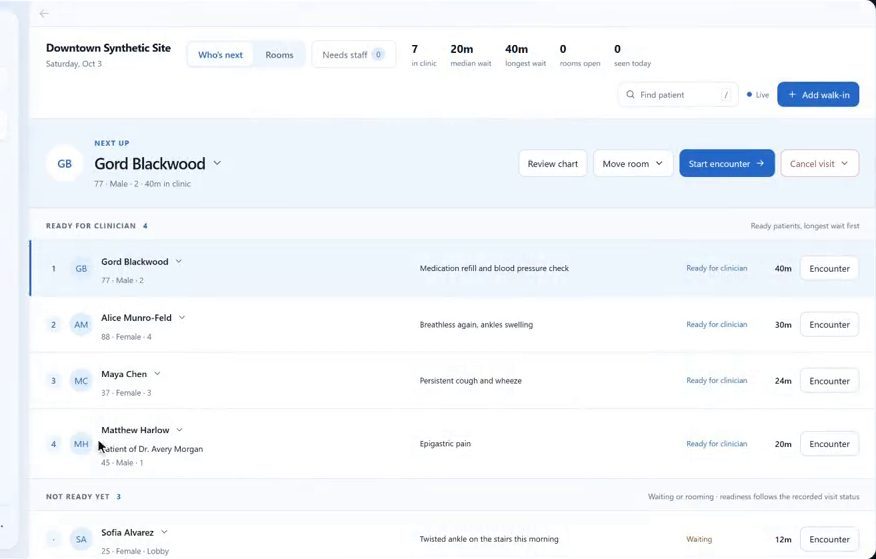
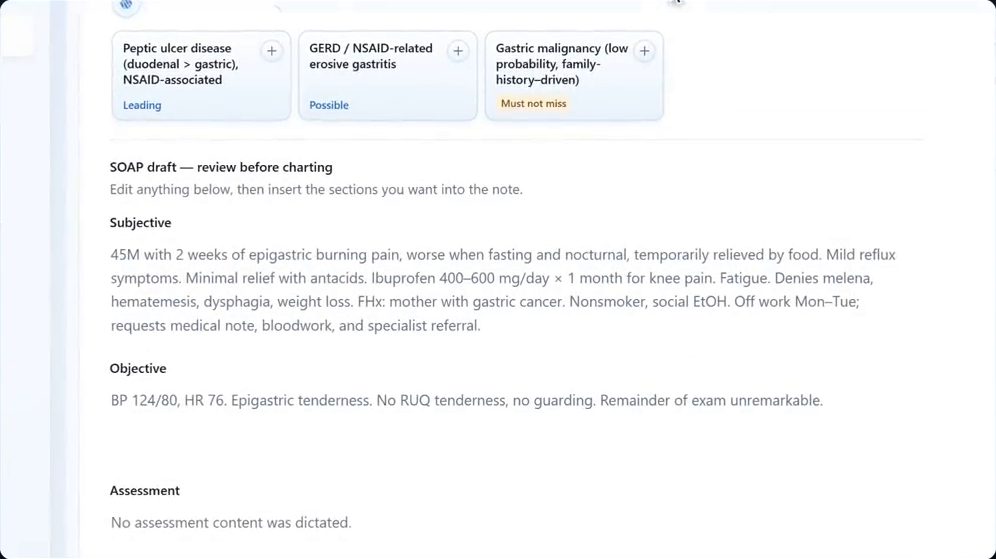
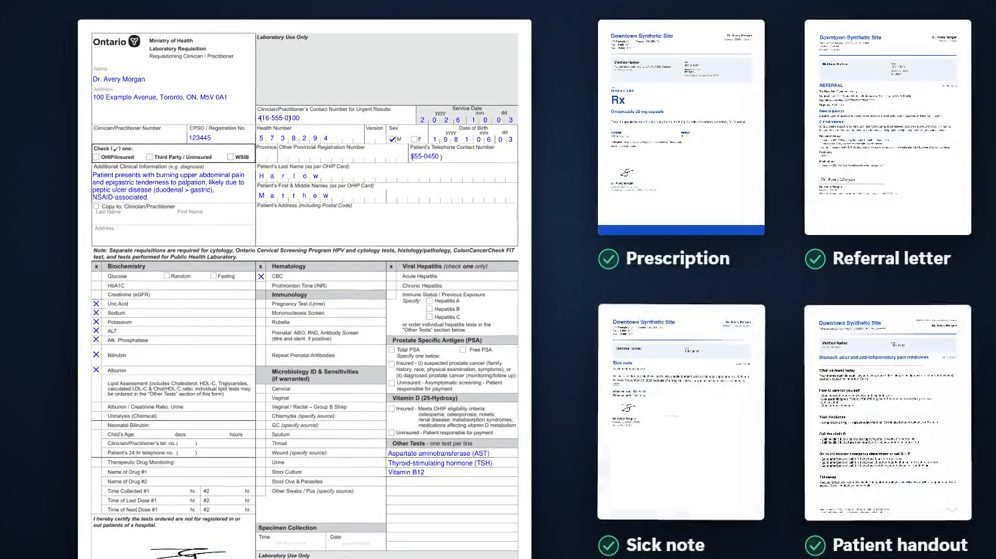
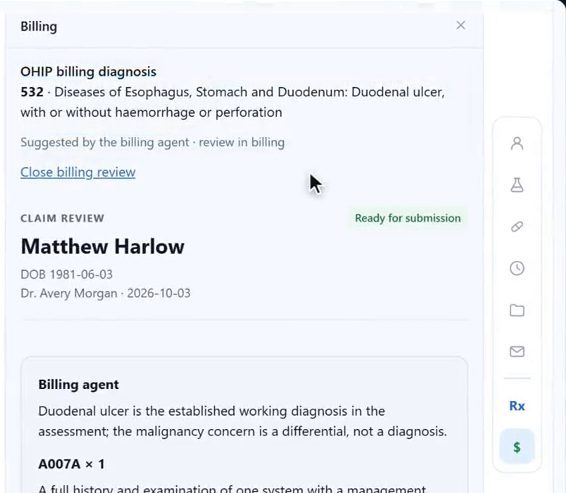
Screens from a longer recording of our product demo, with a synthetic patient. The AI drafts, follow-up events and dates were scripted for the recording.
See the complete workflow. Request a 30-minute demo of Bob Doc.
The clinician's role
AI in Bob Doc prepares work for you to check. Edit the note, choose your own diagnosis or dictate your own assessment. Prescriptions, requisitions, letters and referrals need your approval and signature.
An approval covers exactly what you reviewed. If the content changes, it comes back to you. Bob's suggestions support your clinical judgement; they never replace it.
If a patient prefers not to be recorded, type the note yourself and the rest of the visit works the same way.
Plan your next EMR
Bring a walk-in or family practice visit you see often. Follow the chart, note, lab requisition, referral and billing through Bob Doc.
OSCAR Pro offers AI through its ecosystem too. Compare what gets drafted, where it appears in the chart and what the clinician needs to approve.
If you already work in OSCAR Pro, list the chart history, documents and clinic forms you need to bring. We will review the migration scope and any dependencies with you.
Include your front desk and billing team in the discussion. Ask about roles, onboarding, support and pricing for the way your clinic works.
Thinking about a change? We will go through your workflow, migration requirements and next steps.
Good questions
Bob Doc is a separate EMR for your clinic. Choosing it means moving your clinical work into Bob Doc, where AI drafts the visit note and paperwork for you to review.
Bob Doc offers full EMR migration. Bring your current system, data requirements and preferred timing to the demo. We review the available data and transition requirements before confirming your migration plan.
When you sign an in-person fee-for-service visit, Bob suggests the OHIP diagnostic and service codes from your note and drafts the claim. You can review and correct it, and your billing staff or a clinic administrator approves it.
Tell us which provincial services and integrations your clinic relies on today, such as OLIS lab results, HRM hospital reports or eReferral, and we will go through how Bob Doc fits your clinic.
Clinical access requires two-step verification, each team member works under a role, and access to charts and documents is audited. Ask us about hosting, AI processing and data handling in your demo.
Bob Doc is a paid service for clinics. We go through pricing for your clinic in the demo.
Leave your name and email, and optionally your phone number. Our team emails you to arrange a 30-minute walkthrough of a complete visit, with time for your questions. Please do not send patient information.
About Bob Doc
We are 18269441 Canada Inc. O/A Bob Doc, based in Toronto, Ontario. Requests from this page go straight to our team, and we reply by email to arrange your demo.
OSCAR Pro and WELL are trademarks of their respective owners. Bob Doc is not affiliated with or endorsed by OSCAR Pro or WELL Health. This page discusses OSCAR Pro specifically; other OSCAR products may differ.
See it for yourself
A complete visit in Bob Doc, and a conversation about how your clinic would work.